DISCOVER SELF.
Three pillars.One score.
Here is what is inside Self., pillar by pillar, and how it all comes together in one honest picture of your day.
PILLAR ONE
Habits & Goals
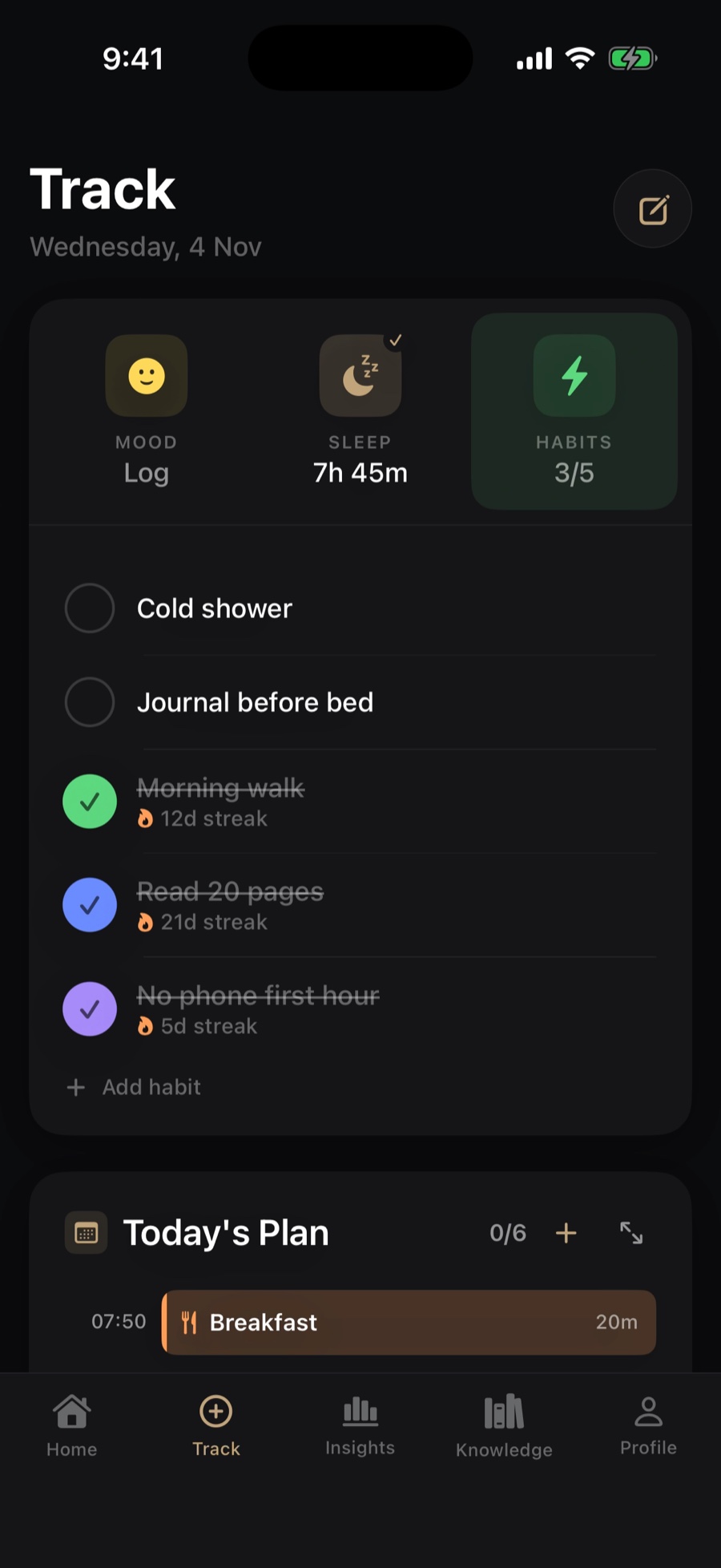
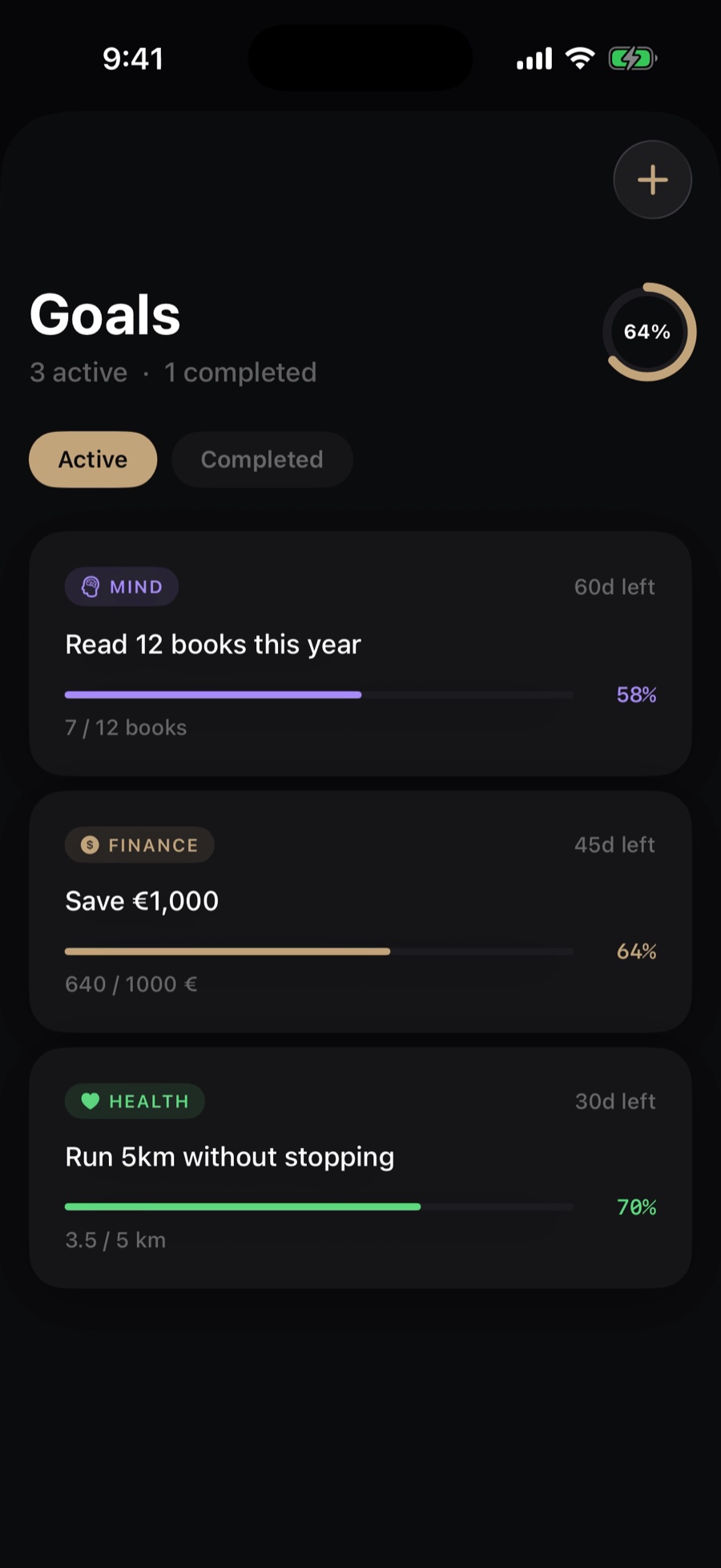
Set your priorities, then track the actions you actually follow through on. Check habits off in a tap, watch each streak grow, and see every goal move toward its deadline.
HABITS
- 1Today at a glanceYour habit count sits right beside mood and sleep.
- 2One tap to check offTap the circle and the habit is done for today.
- 3A streak for every habitIt keeps count of what you really did.
GOALS
- 4Overall progressAll your goals, rolled into one number.
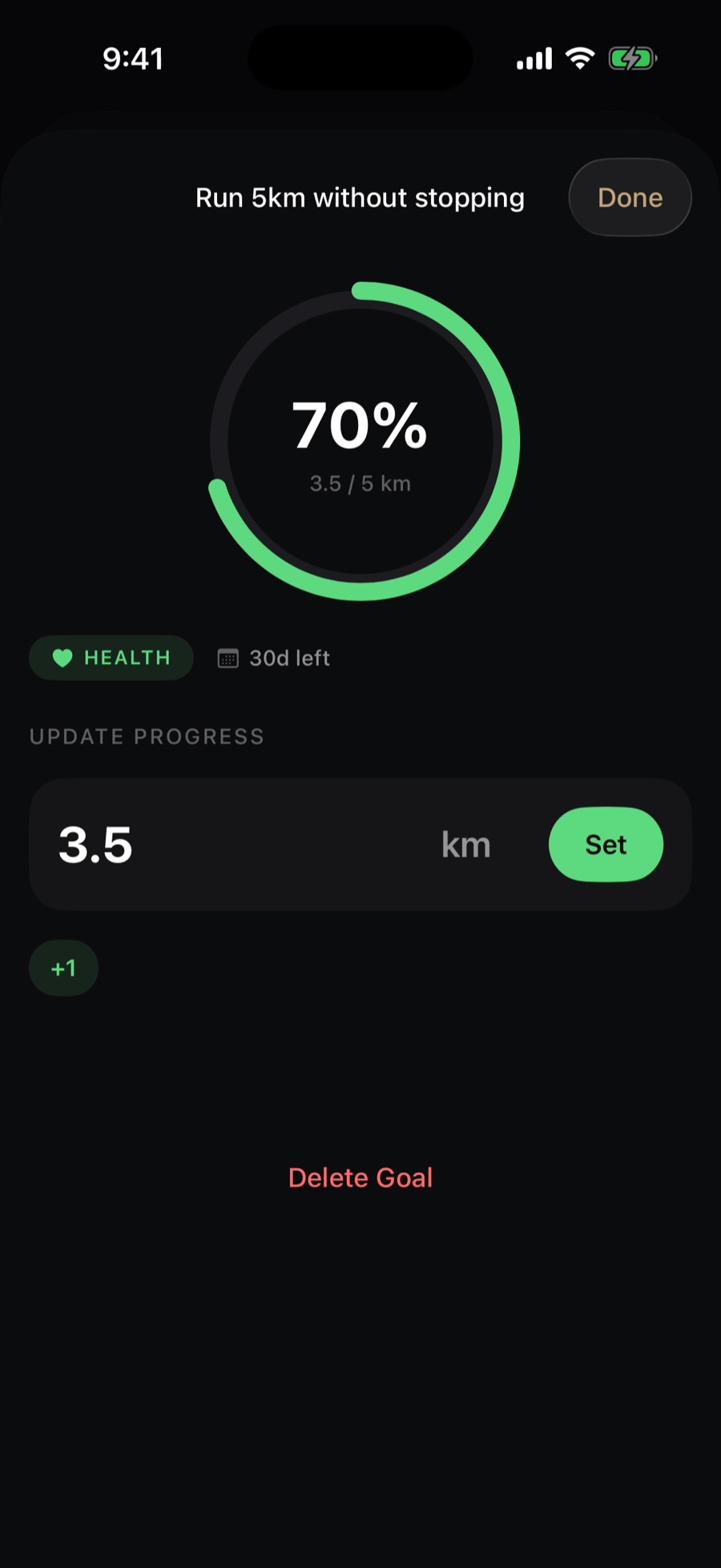
- 5A bar for each goalUpdate your progress and watch it fill.
- 6A countdownEvery goal shows how long you have left.
 123
 456
PILLAR TWO
Sleep
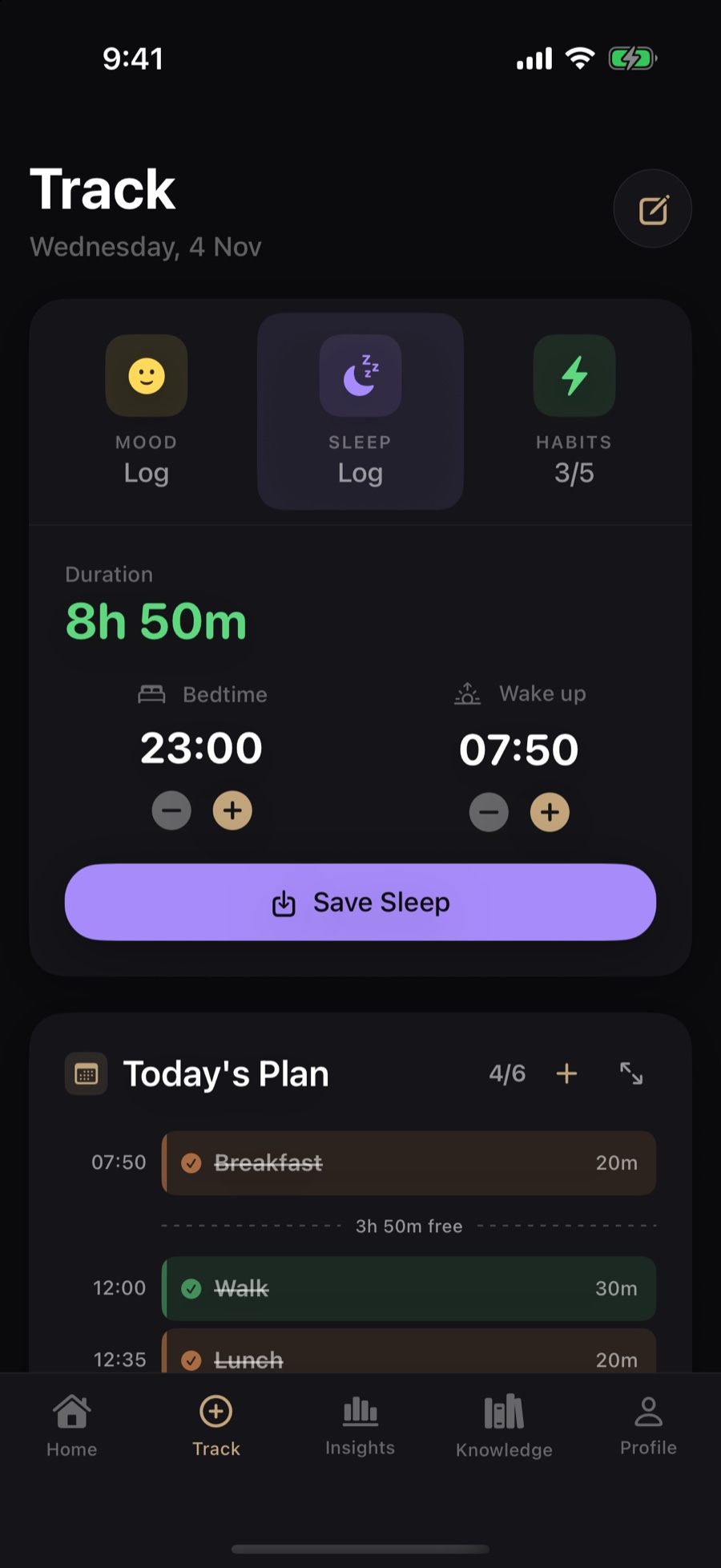
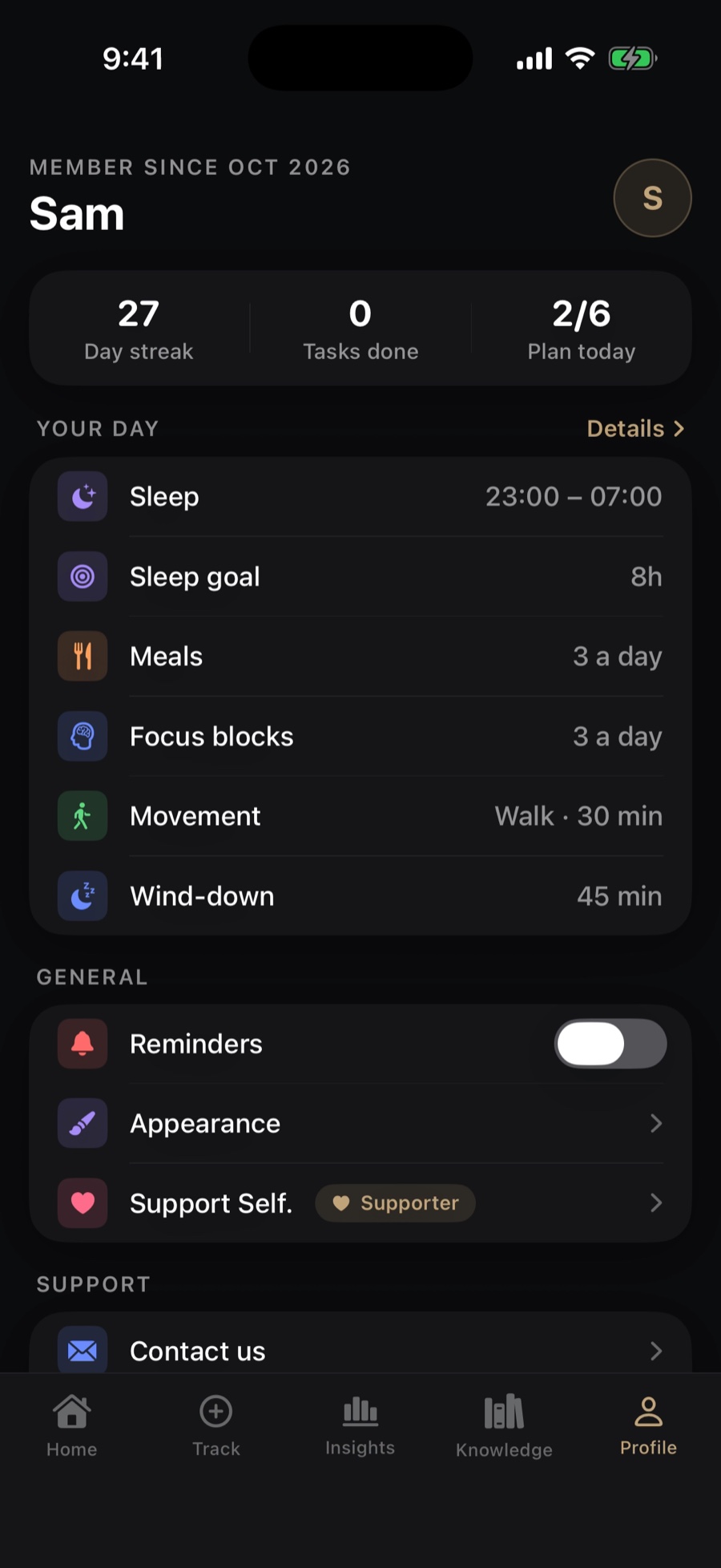
Log when you went to bed and when you woke up, and Self. works out the rest. Set your sleep window and goal once, and see how recovery fits into the bigger picture of your day.
LOG YOUR NIGHT
- 1Duration, worked out for youNo maths. It updates as you adjust the times.
- 2Bedtime and wake-upNudge each with − and +.
- 3One tap to saveYour night is logged.
SHAPE YOUR DAY
- 4Your sleep windowWhen you plan to be asleep.
- 5Your sleep goalThe rest you are aiming for each night.
- 6A wind-down before bedSet aside time to switch off.
 123
 456
PILLAR THREE
Journal & Mood
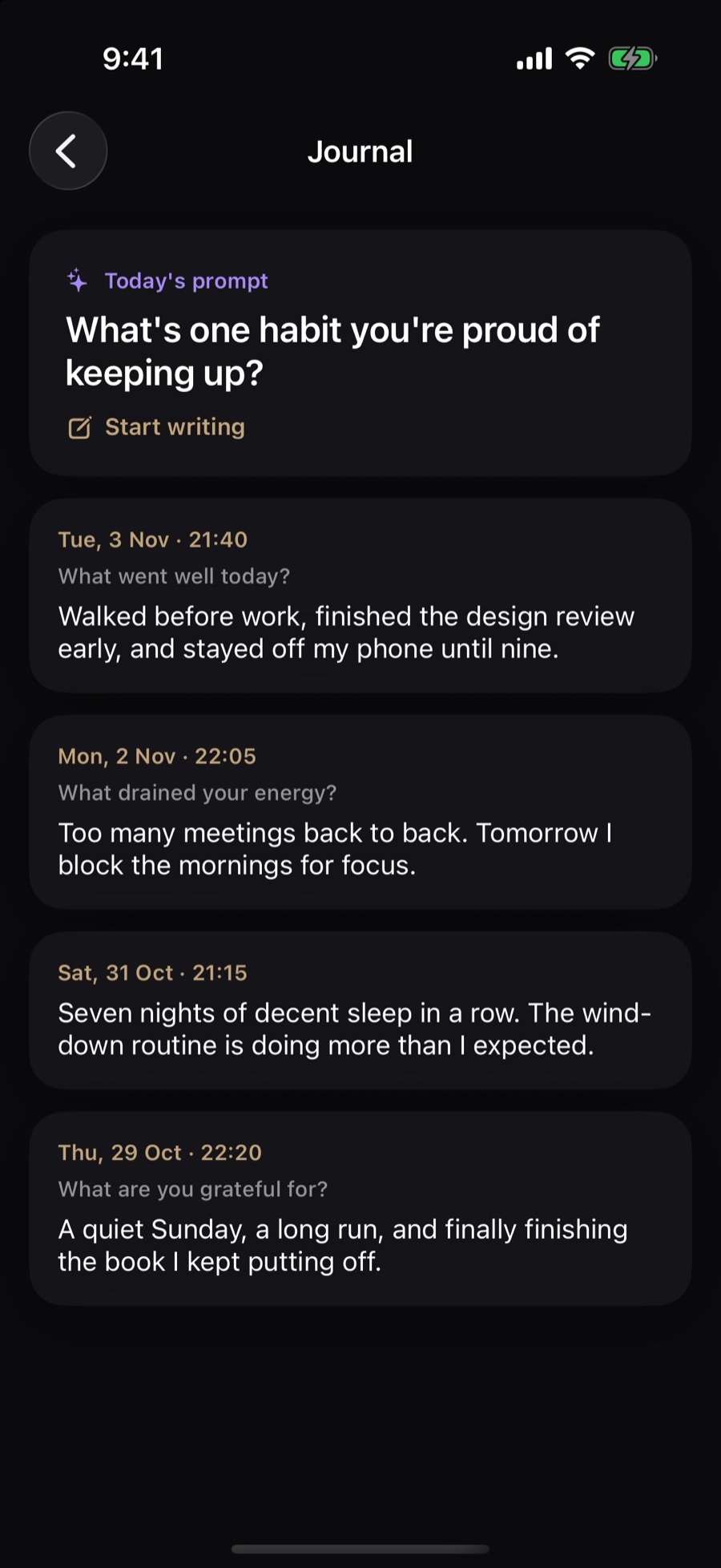
A few minutes of honest reflection. Log how you feel in a tap, then write a few lines when a prompt catches you. It all stays on your iPhone.
JOURNAL
- 1A prompt to start fromAn honest question, so the page is never blank.
- 2Start writingAnswer it in your own words.
- 3Your entries, togetherLook back at how past days felt.
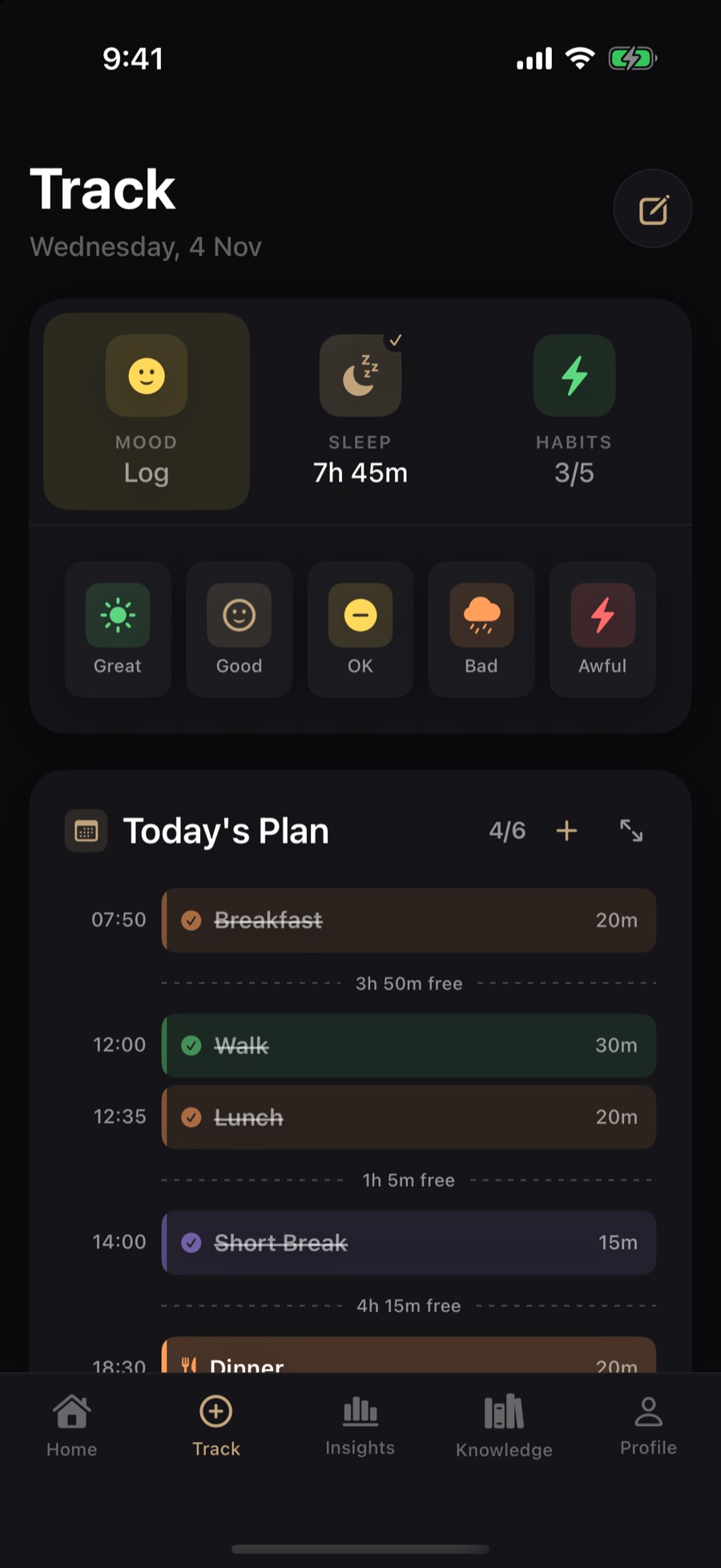
MOOD
- 4Tap Mood to log itIt lives next to sleep and habits on Track.
- 5Five moodsFrom Great to Awful. One tap, done.
 123
 45
THE RESULT
One honest score
Everything you log feeds the same picture. Home reads your day back to you in plain words. Insights puts your plan, streak, sleep, mood and habits side by side, with a short weekly brief.
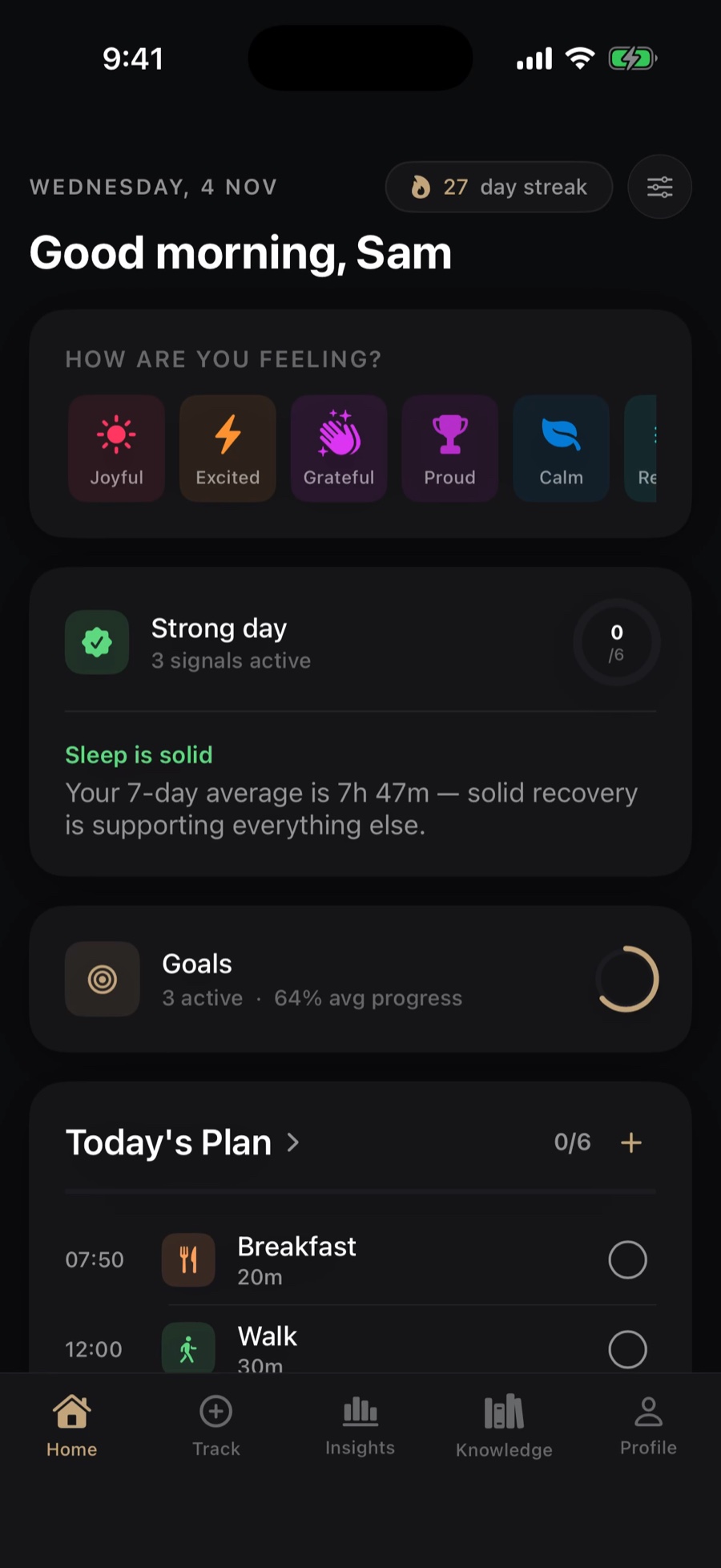
HOME
- 1Your day, in a wordA daily status that changes as you act.
- 2Plan progress, liveHow many items you have done today.
- 3What is helping, in plain wordsA short note on what is carrying your day.
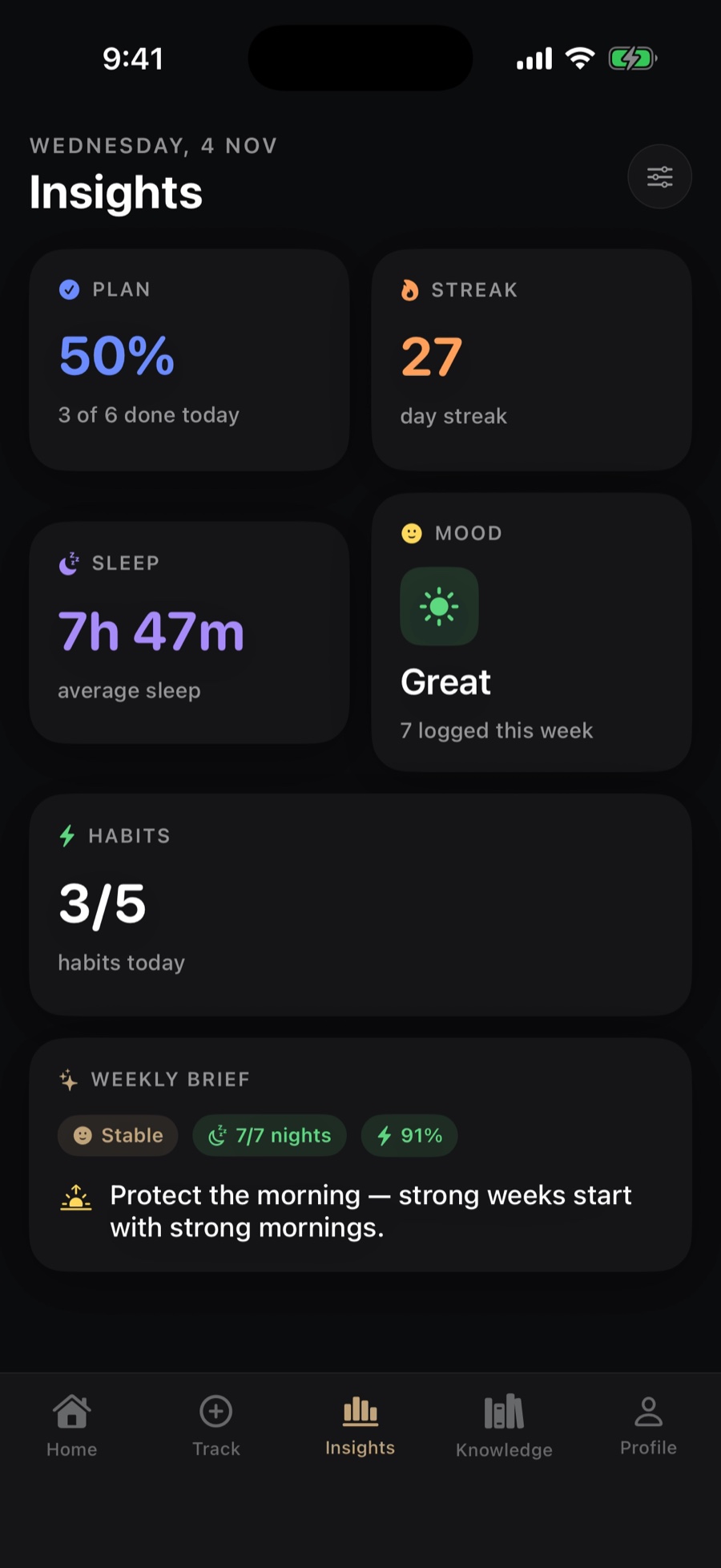
INSIGHTS
- 4Plan completionThe share of today's plan you have done.
- 5Average sleepNext to your mood, streak and habits.
- 6A weekly briefOne line on what to protect next.
 123
 456
AND THE REST OF THE DAY
Built around how you actually live.
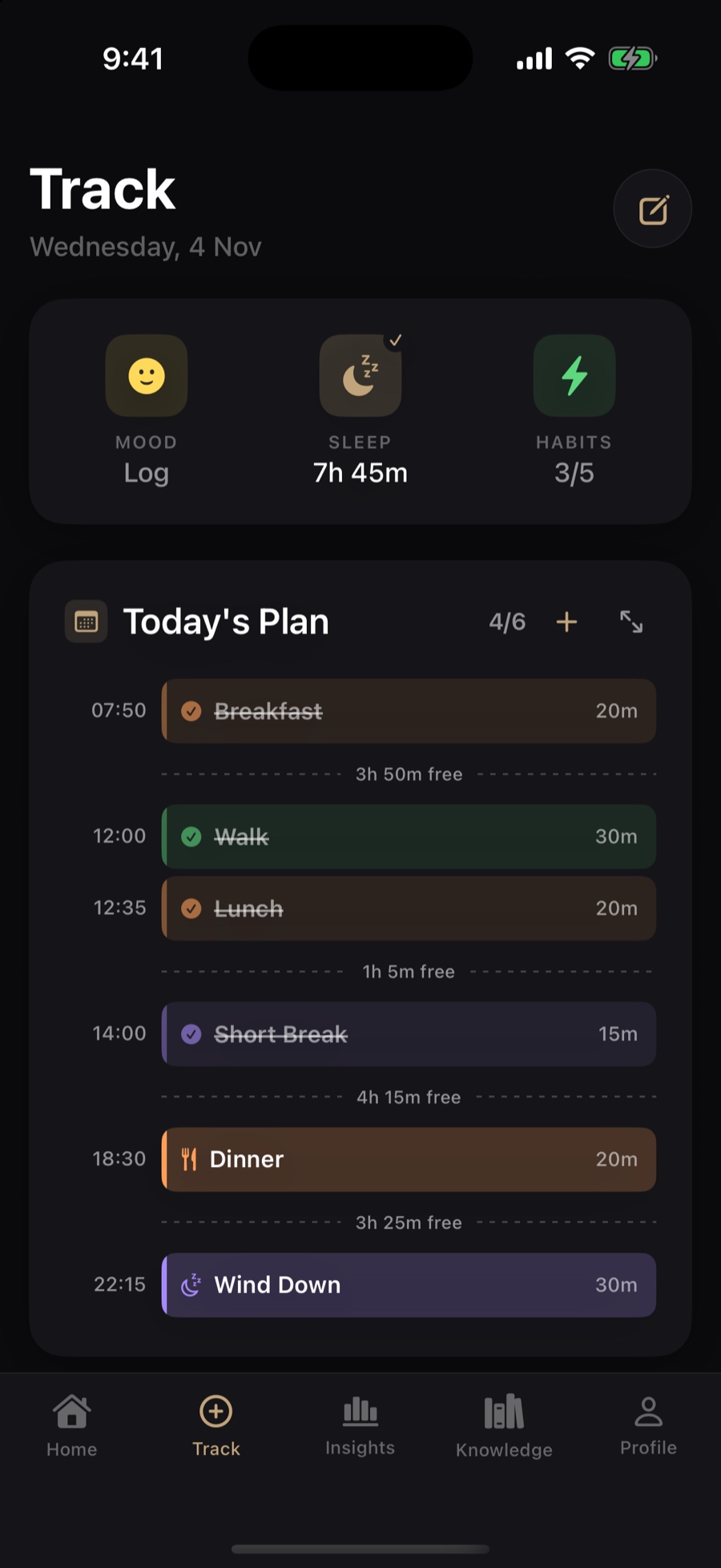
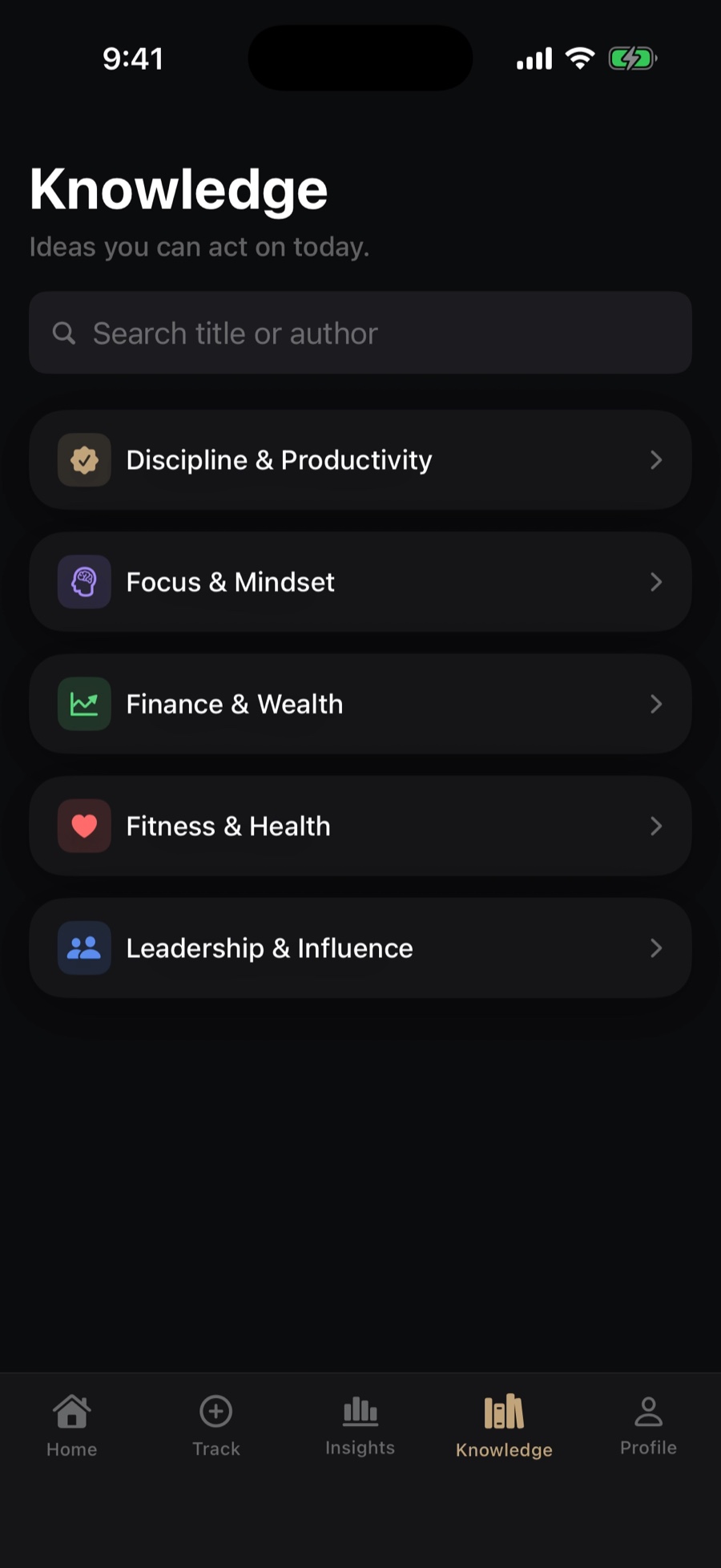
A plan you can see, ideas you can act on, and goals that move.
LAUNCHING JANUARY 2027
Be first to try Self.
Free for iPhone. Join the waitlist and we will email you when it is live.